Learn about DiDi Paga Después integration capabilities and choose the product solution and integration method that best fit your needs.
Buy now, pay later with flexible repayments over time
Flexible Repayments
Lower Purchase Barriers
Choose biweekly or monthly repayments, with up to 24 or 12 installments, for greater flexibility and easier decisions
Fast Refunds
Hassle-Free After-Sales Service
Supports full and partial refunds to help avoid customer disputes
App and PC Web Coverage
Flexible Integration
Supports both the App and PC with a single integration across both platforms
How Consumers Pay
Supports both the app and PC web, so you can choose based on your needs.
We support checkout on both the app and PC web, allowing merchants to choose based on their needs. See below for the consumer payment flow on each platform.
App Checkout
Consumers can complete installment payments on the embedded DiDi page, with biweekly and monthly repayment options.
Payment Flow
1
Select DiDi Paga Después at Checkout
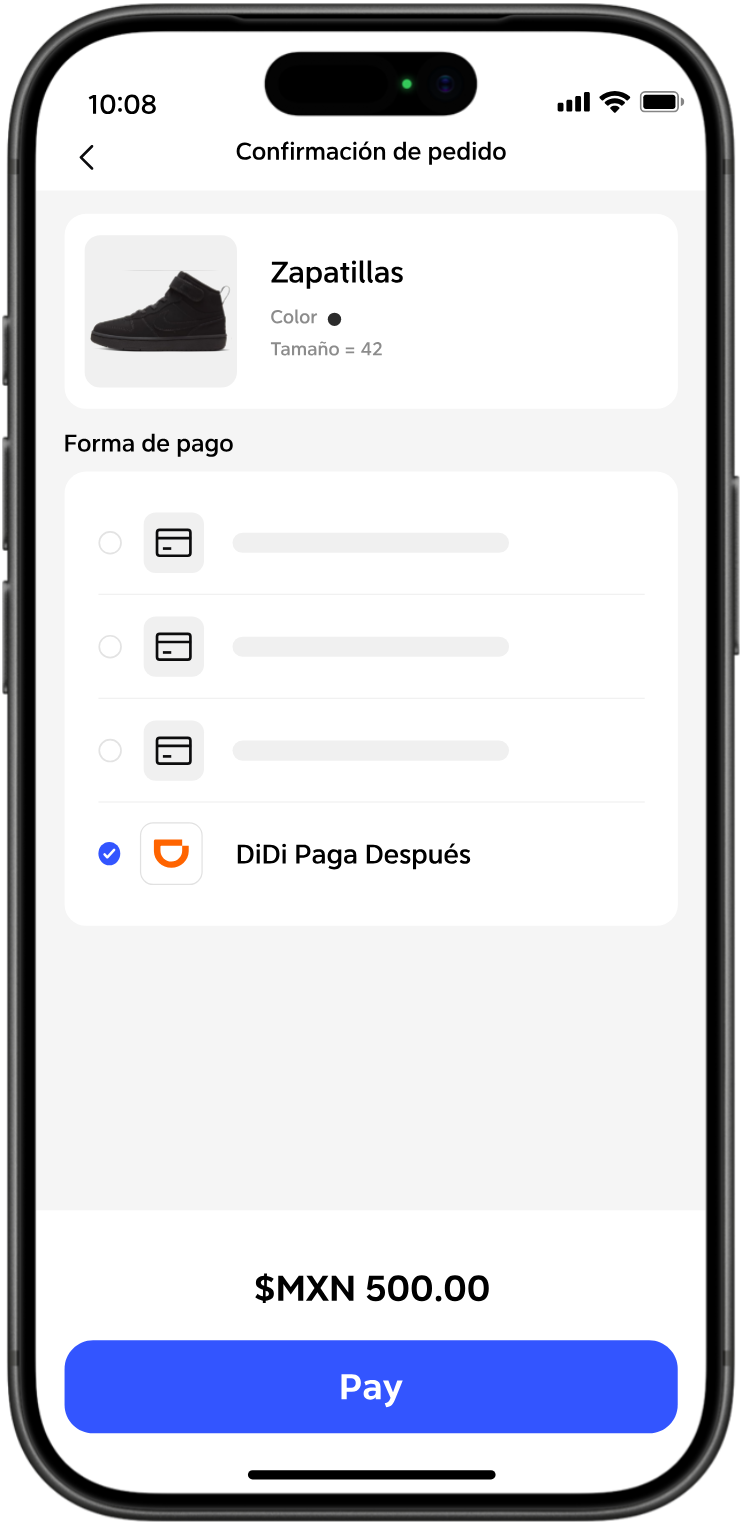
After selecting items in the merchant app, users proceed to checkout and select "DiDi Paga Después" as the payment method.
2
Confirm Installments
Open the embedded "DiDi Paga Después" page, where users can confirm the number of installments (up to 24 biweekly or 12 monthly) and submit the payment.
3
Payment Successful
The transaction is completed, and DiDi asynchronously sends the payment result to the merchant.
1
Select DiDi Paga Después at Checkout
Your customers select DiDi Paga Después at checkout
2
Collect Key User Information
Open the embedded "DiDi Paga Después" page, where users provide personal information and complete real-name and identity verification.
3
Get a Credit Limit
DiDi completes the credit assessment, and the system grants an installment credit limit.
4
Confirm Installments
Users confirm the number of installments (up to 24 biweekly or 12 monthly) and submit the payment.
5
Payment Successful
The transaction is completed, and DiDi asynchronously sends the payment result to the merchant.
PC Web Checkout
Consumers initiate payment on the merchant's desktop website and are redirected to the DiDi page, where a payment QR code is displayed. They scan the code with the DiDi Finanzas app to complete the installment payment.
Payment Flow
1
Select DiDi Paga Después at Checkout
After selecting items on the merchant's desktop website, users proceed to checkout and select "DiDi Paga Después" as the payment method.
2
Scan QR Code
Users are redirected to the DiDi website and prompted to scan the payment QR code using the DiDi Finanzas app.
3
Confirm Installments
After successfully scanning the QR code with the DiDi Finanzas app, users confirm the number of installments and tap Pay.
4
Payment Successful
The transaction is completed, and DiDi asynchronously sends the payment result to the merchant.
1
Select DiDi Paga Después at Checkout
After selecting items on the merchant's desktop website, users proceed to checkout and select "DiDi Paga Después" as the payment method.
2
Scan QR Code
Users are redirected to the DiDi website and prompted to scan the payment QR code using the DiDi Finanzas app.
3
Collect Key User Information
After successfully scanning the QR code with the DiDi Finanzas app, users provide personal information and complete real-name and identity verification.
4
Get a Credit Limit
DiDi completes the credit assessment, and the system grants an installment credit limit.
5
Confirm Installments
After successfully scanning the QR code with the DiDi Finanzas app, users confirm the number of installments and tap Pay.
6
Payment Successful
The transaction is completed, and DiDi asynchronously sends the payment result to the merchant.
Get Started
How to Integrate DiDi
Integrate directly through the API once to launch on both your app and PC web simultaneously.
Integration Mode
You call the DiDi API directly and stay in control of the entire process
Direct API Calls
Merchants call DiDi APIs directly and control when to make each call.
Direct Settlement
DiDi settles the full amount directly to the merchant, so funds arrive faster.
Direct Reconciliation
Merchants reconcile directly with DiDi for a transparent process.
Merchant
API
DiDi
Integration Process
Six clear steps from partnership to launch
Steps marked "Merchant Action Required" require your company to provide information or take action.
01
Business Coordination
Confirm your intent to partner and receive a partnership proposal and onboarding guidance
02
Information Collection
Merchant provides the required company, technical and settlement information
03
Agreement Signing
Review and sign the partnership agreement
04
Sandbox Testing
Merchant completes core API testing in the sandbox environment
05
Production Integration
Merchant completes production integration, final verification and launch preparation
06
Go Live
Start processing transactions, while DiDi monitors transaction and operational data
DiDi-Led
Merchant Action Required
Ready to Boost Your Sales?
Explore our solutions and integration documentation, or contact us for a tailored integration plan.





 DiDi-Led
 Merchant Action Required